
HOW NEXON WORKS
From what you want
to who can help.
Tell NEXON what you need. It understands your intent, helps you think, finds relevant people when that's useful, and helps you take the next step. You stay in control the whole way.
IN THE APP
One journey,
from a goal to a call.
These are real screens from the early NEXON app, with a sample account and fictional people. Scroll through what happens, step by step.
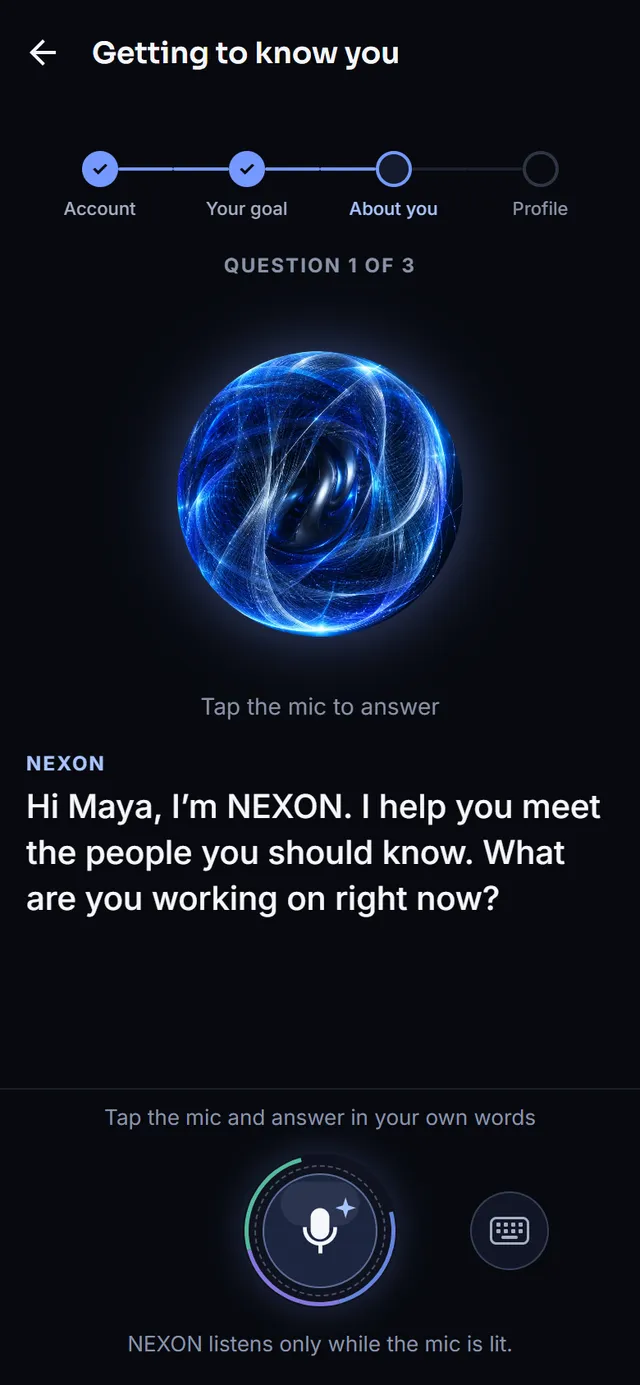
Tell NEXON what you’re working on
NEXON asks three short questions, out loud or in chat. Answer in your own words; no forms.
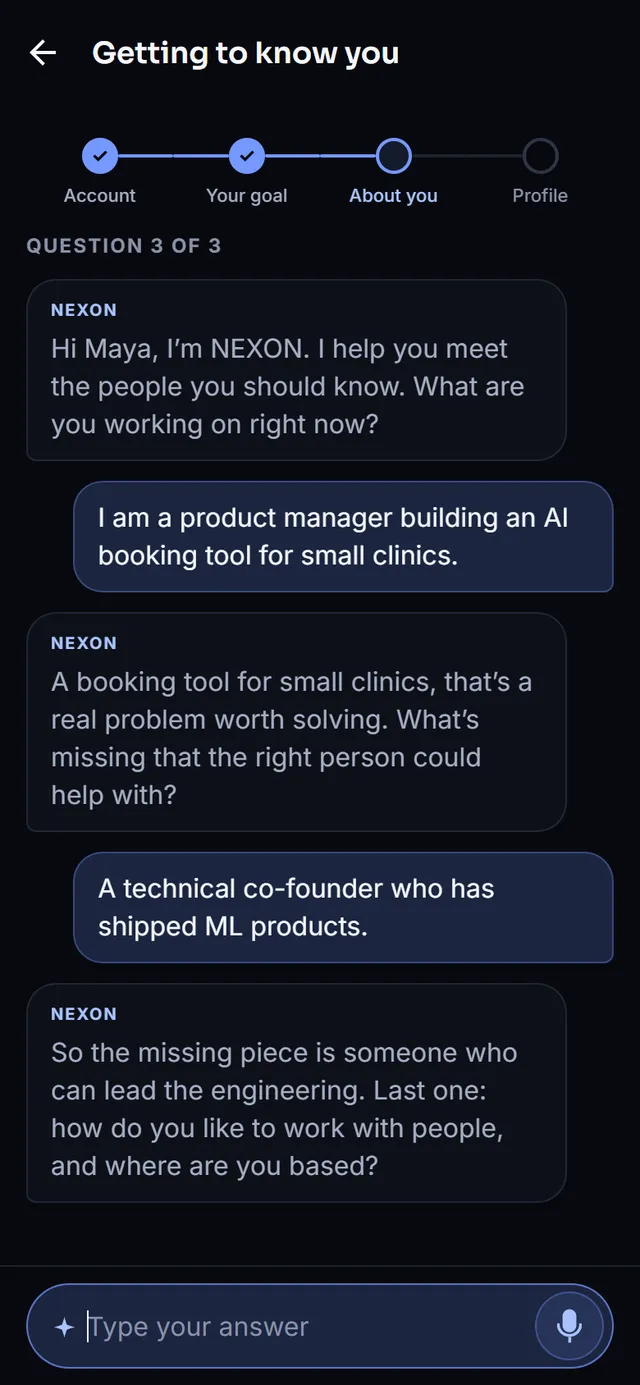
It listens and follows up
A short reply to each answer, and one follow-up question only when something isn’t clear.
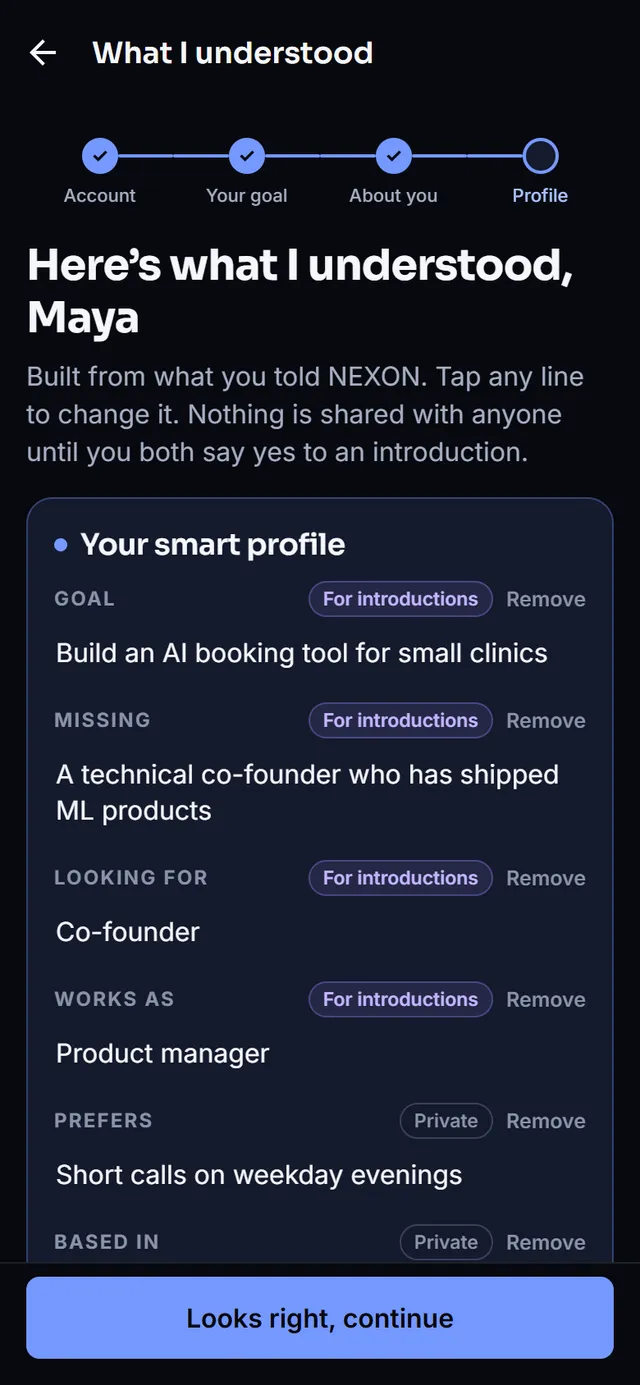
See what it understood
Your goal, what’s missing and who you want to meet. Edit any line, and choose what’s private and what can be used for introductions.
Ask for who you need
Say what you’re looking for. NEXON answers in plain words and shows a few people who chose to be discoverable.

Every suggestion has a reason
No scores. “Why Arjun?” lists the reasons, and what happens if you ask.
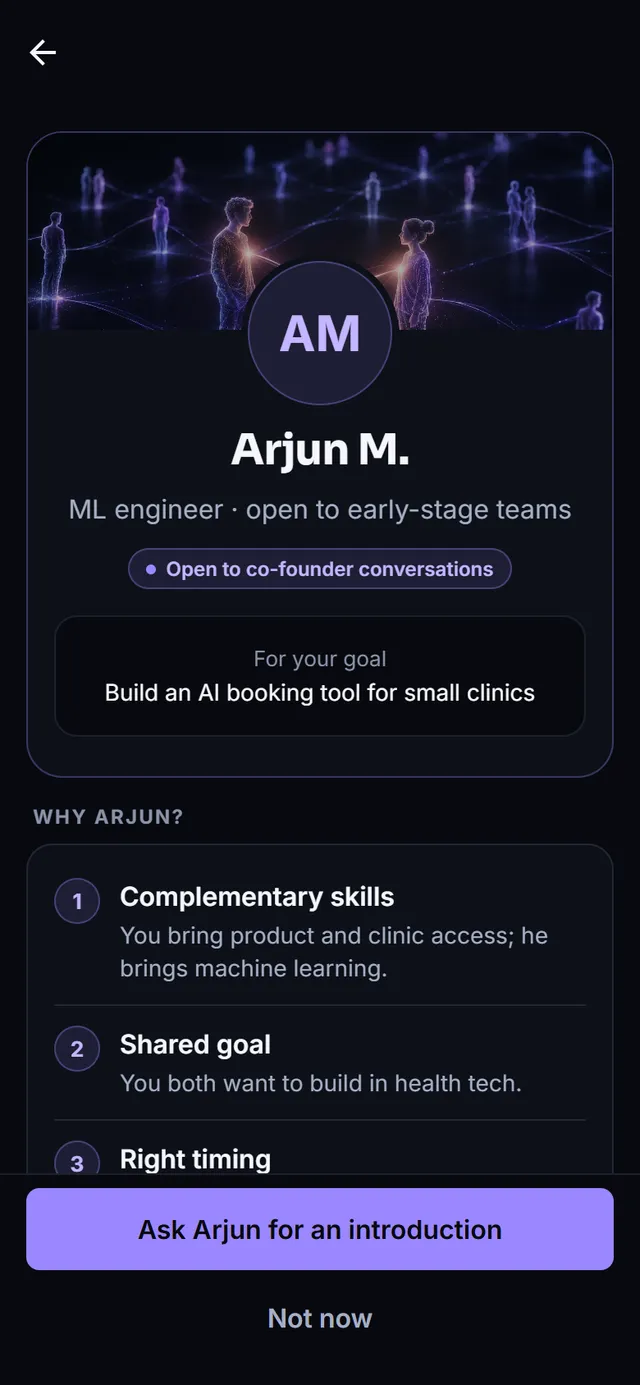
Both say yes, then NEXON introduces you
Arjun is asked privately. Only when you both say yes does NEXON make the introduction and share contact details.
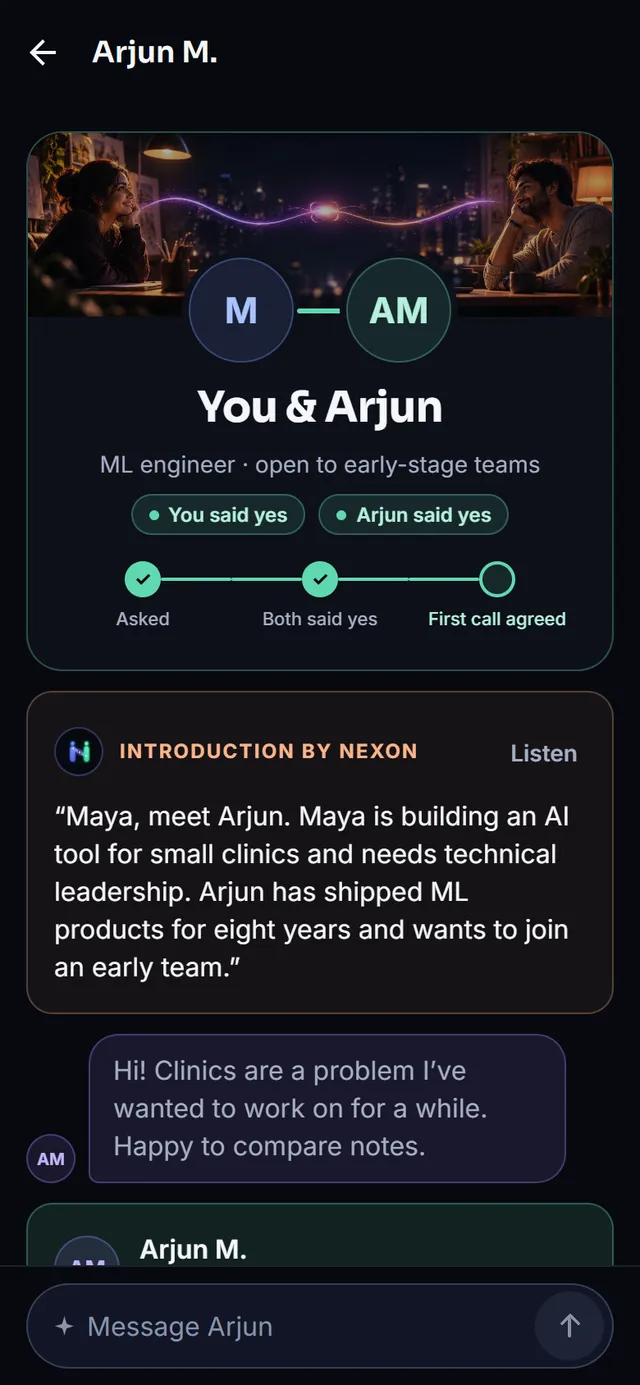
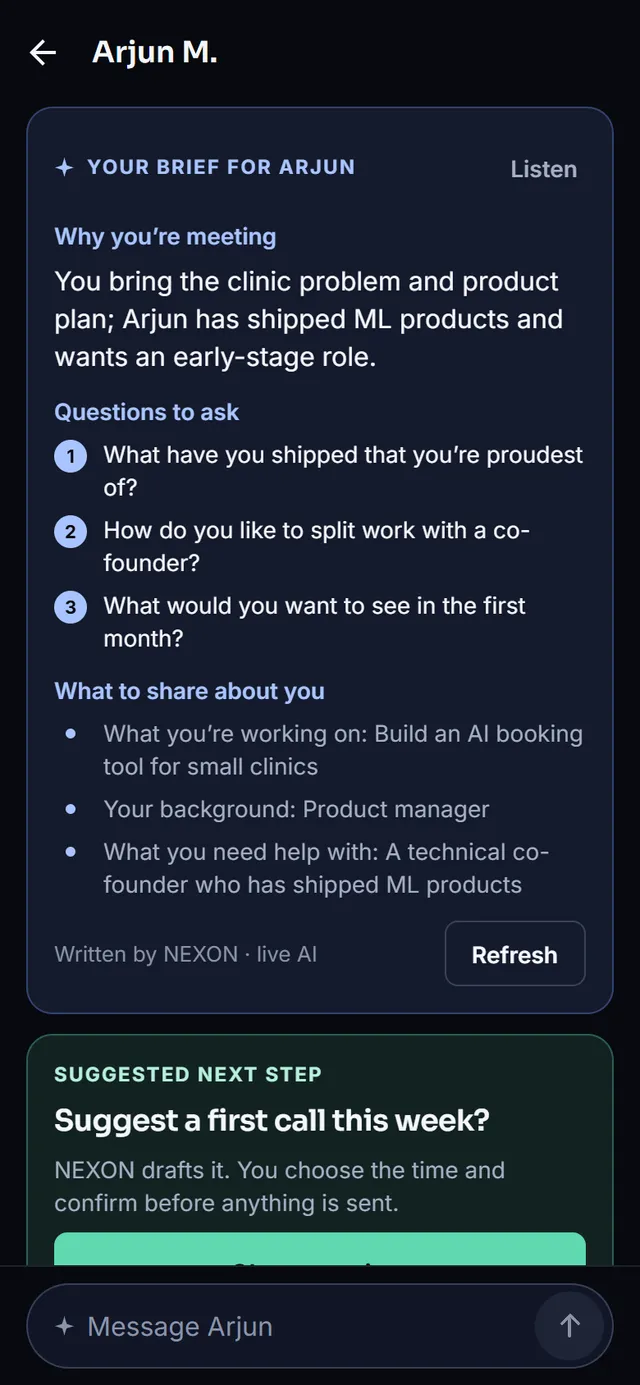
Prepare for the call
A short brief: why you’re meeting, questions to ask, and what to share, using only what you marked for introductions.
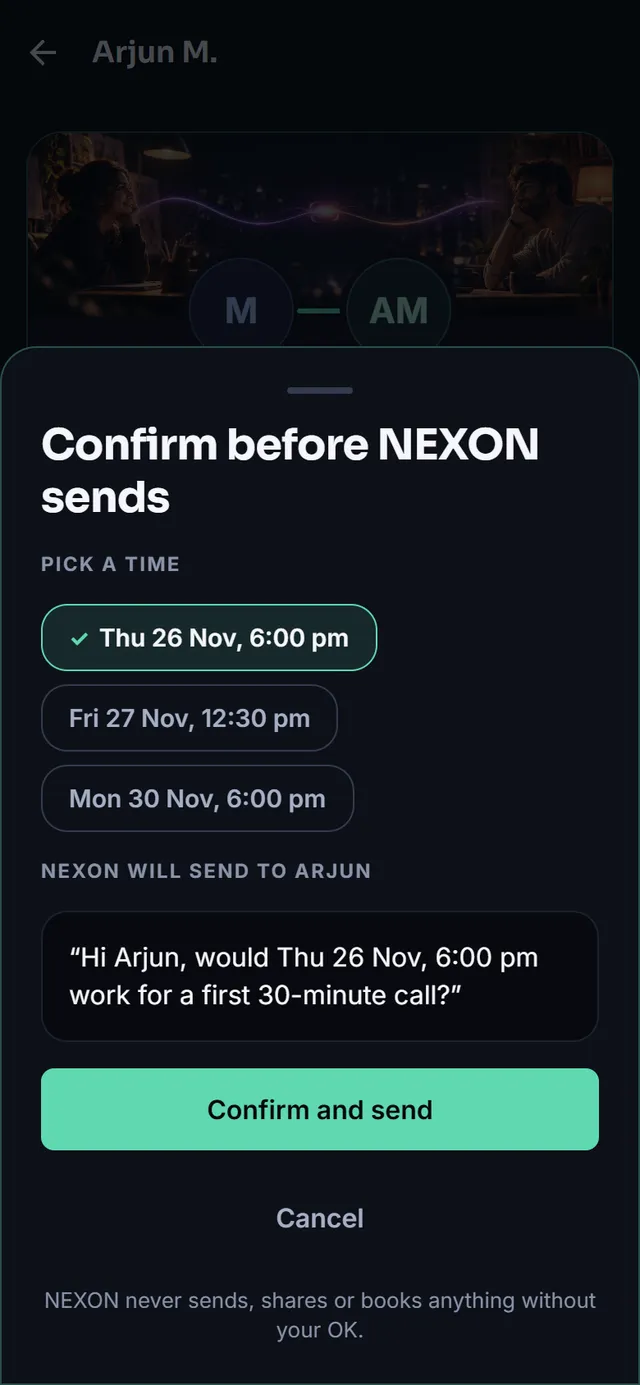
Nothing is sent without your OK
Pick a time and see the exact message before NEXON sends it.
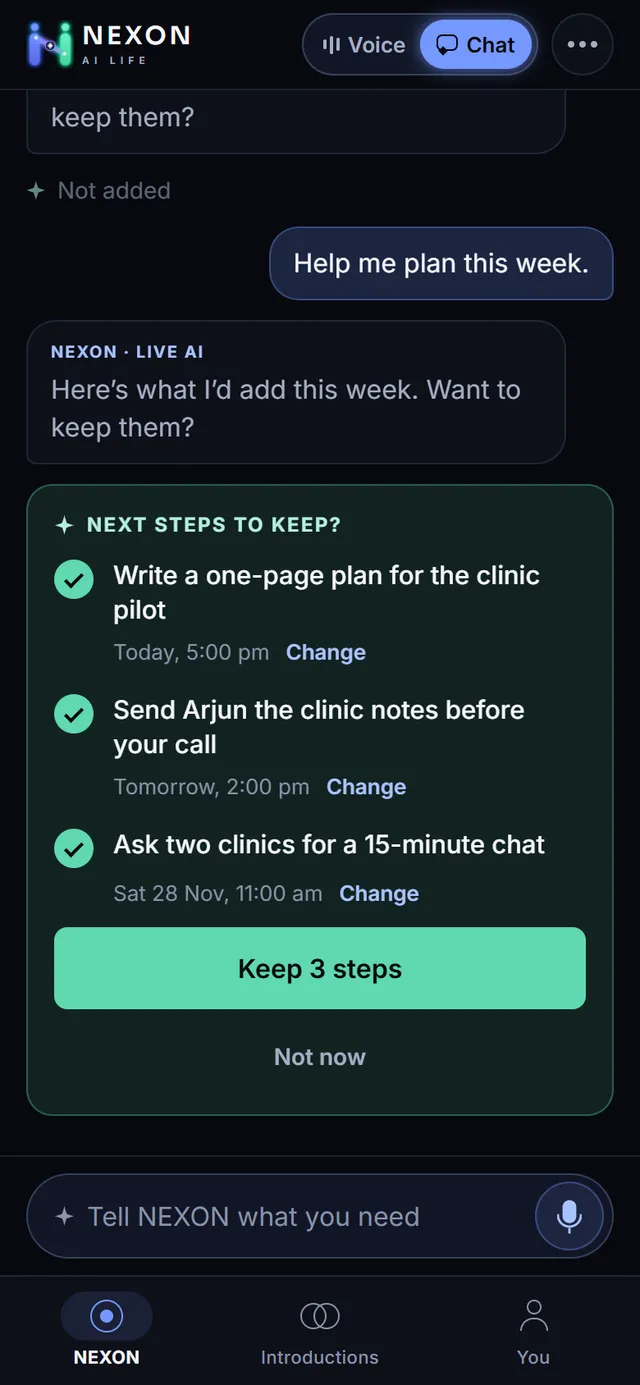
Next steps that actually happen
Ask NEXON to plan your week. It proposes steps with times; you keep the ones you want, with reminders on your phone.
Memory you can see and undo
NEXON remembers important things as you talk and shows each one with Undo. Edit or forget anything in What NEXON remembers.

Early app preview · sample people01 · GETTING STARTED
Talk instead of
filling in forms.
Most networks start with a long profile. NEXON starts with a conversation, then shows you what it understood.
- 01Create your accountJust the basics. No long profile form.
- 02Talk with NEXONWhat are you working on? What do you want to achieve? Who would you like to meet?
- 03It builds your smart profileInterests, skills, goals and the kind of people you're looking for, in your own words.
- 04You review itCorrect anything, remove anything, and choose your discovery and privacy settings.
- 05NEXON is readyFrom here, open it to talk, find a person or get something done.

02 · YOUR SMART PROFILE
Memory you can see.
Three levels you control.
Nothing NEXON learns is a hidden black box. You can review, correct, delete or switch off anything it remembers, and you decide how far each piece of information goes.
Personalize
Used only so NEXON understands you and gives better help. Never shown to anyone.
- Interests and habits
- Communication style
- Ongoing projects and reminders
Use for matching
Only what you allow is used to find relevant people. Still private.
- Skills and experience
- Current goals
- Who you'd like to meet, and why
Share with a person
Shared only inside an introduction you both approved.
- What you choose to introduce yourself with
- Contact details, after mutual approval
Private conversations never become public profile information.
03 · HOW MATCHING WORKS
No mystery score.
Just a reason.
Every suggestion answers one question: why would these two people benefit from knowing each other? NEXON only looks among people who chose to be discoverable for that kind of connection.
“You both want to build AI products. You have business experience and you're looking for technical expertise. Arjun is a software engineer who wants to join an early-stage startup.”
Illustrative example with fictional people.04 · INTRODUCTIONS
Both people say yes.
Then NEXON makes the intro.
“I'm building an AI tool for small clinics. I need a technical co-founder who has shipped machine learning products before.”
Illustrative example with fictional people.
05 · ACTIONS
Advice is useful.
A next step is better.
NEXON can help you act, or open the right app for it. The rule is simple: the more something speaks or commits for you, the more clearly it asks first.
Previews before anything is sent, undo where possible, and a clear history of what NEXON did.
06 · LATER: PROACTIVE HELP
Useful when it matters.
Quiet when it doesn't.
Over time, NEXON can bring you opportunities instead of waiting to be asked. You choose how often, about what, and you can turn it off.
NEXON“You told me you wanted to meet AI founders. I found two people who look relevant. Want to see why?”


EARLY ACCESS · BY INVITATION
Meet the people
you should know.
NEXON is opening by invitation, one community at a time, starting with founders and builders.
- UnderstoodGoal: a technical co-founder
- Relevant person foundArjun M. · ML engineer
- Both said yesIntroduction made